Part 1. Concepts and Context
Learning introductory concepts and context for AI-assisted coding.
Learning Objectives
By the end of this workshop, you will:
- Have a conceptual understanding of how LLMs work
- Learn how to write intelligible prompts that AI tools respond to best
- Understand the privacy risks inherent in LLMs like Copilot
Behind the Scenes: How LLMs Work
Large language models (LLMs) are trained on massive amounts of public code and documentation. This means they’re skilled at recognizing syntax, identifying common programming patterns, and suggesting relevant fixes.
Before getting the most out of AI-assisted coding, it’s important to understand how the underlying models work. LLMs, like those powering Copilot, don’t understand language the way humans do. While we read text as words with meaning, the model breaks the same text into tokens — small chunks that may be whole words, parts of words, or even single characters. Tokens are the model’s real unit of work: they determine how much it can “remember” at once and how much usage costs.
Every time you interact with Copilot or any AI tool, it starts from whatever info you provide that session.
What this means in practice:
- LLMs have already memorized general coding patterns from huge amounts of public code and documentation online.
- They use these patterns to predict what your request may be about. The more precise your question is, the more pertinent the response will be.
- Every time you use Copilot, the model works from what you share in that moment — not your entire project by default.
In a nutshell:
- Better context → better answers.
- Vague or missing context → generic or incomplete outputs.
flowchart TD
    A[You write a prompt, describing what you need help with] --> B[Copilot reviews your prompt and recent conversation]
    B --> C{Did you provide enough detail and context?}
    C -- Yes --> D[Copilot gives a helpful answer: code, explanation, or suggested fix tailored to your request]
    C -- No --> E[Copilot provides a generic guess or asks follow-up questions to get more information]
The context window
AI agents can only “remember” a limited amount of text at once (your prompt, recent chat, and shared files). The examples we use in this workshop stay well within that limit. However, keep this in mind once you move on to larger projects, as the context of your work may become opaque for the AI agent after a while.
The Prompt Formula
The quality of the model’s response depends heavily on the way we prompt it. A well-structured prompt gives the model the context it needs to be genuinely useful — instead of making vague guesses. Therefore, when asking for help with code or data, try framing your request around these four elements:
| Context | What data or code are you working with? |
| Task | What do you want to accomplish? |
| Constraints | Do you need any specific tools, libraries, or limitations? |
| Format | How should the AI present and structure the answer? |
Example 1: Vague vs. Clear
A relatively vague prompt is less helpful. For example:
“Tell me about my research data on penguins.”
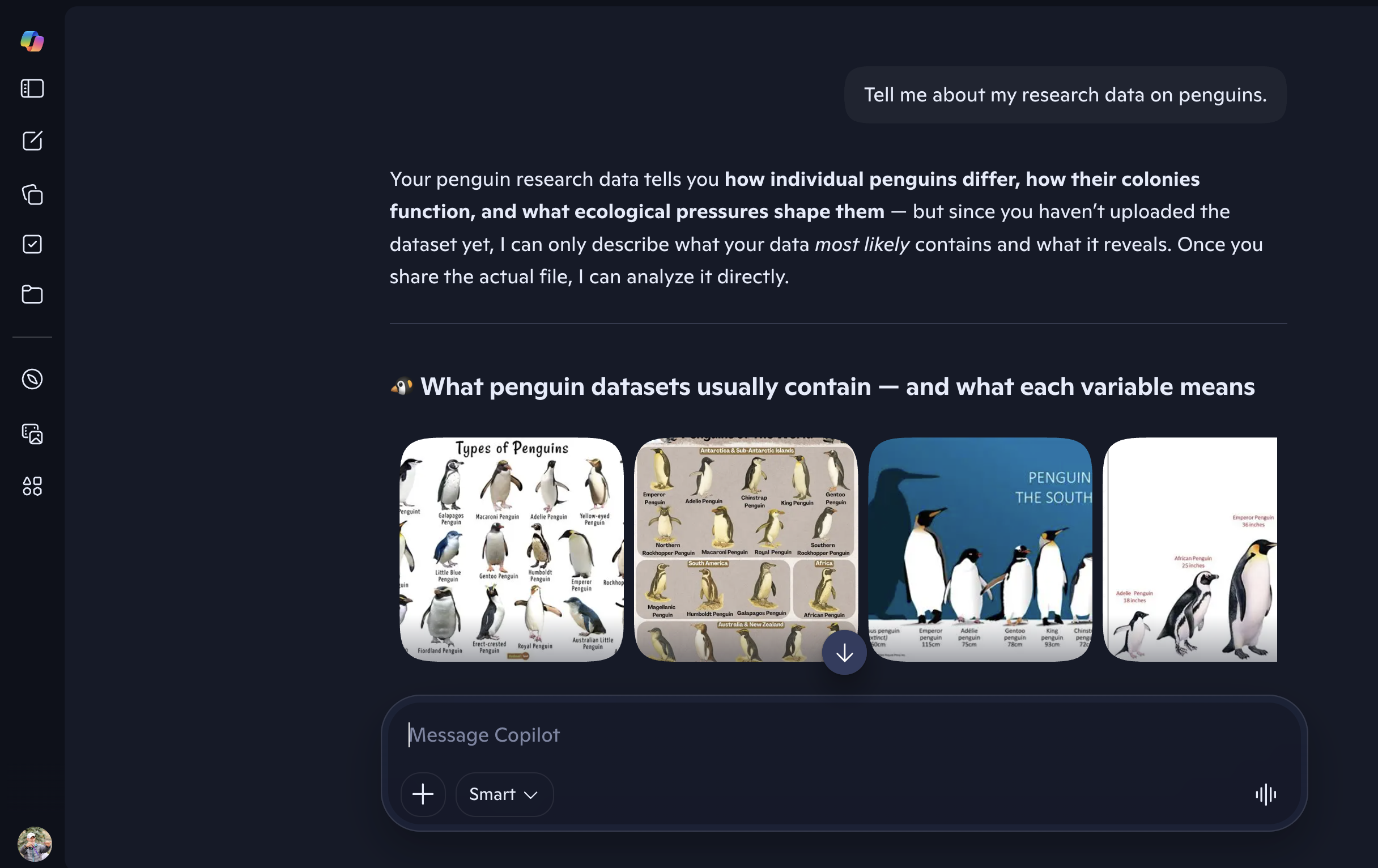
Notice how the AI response to this prompt is vague and generic.
Clarity and specificity tend to produce more helpful responses:
“I have a CSV file with penguins data. How many columns does it have? Show me the column names as a list.”
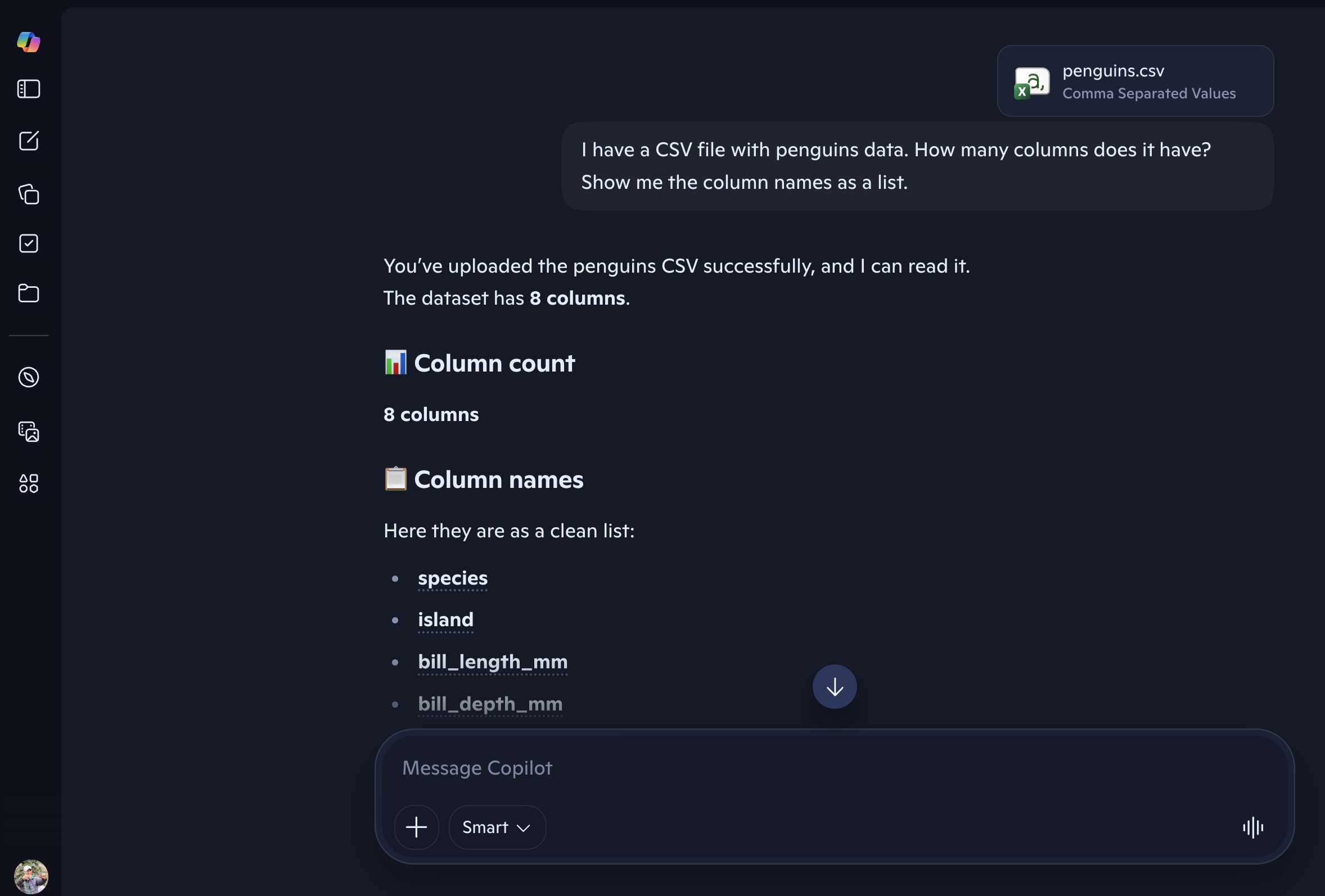
Notice the difference: this version names the context (a CSV file), a specific task (count the columns), and the format (a list). It is more likely to get a precise answer instead of a generic one.
Example 2: Stating Your Tools (Constraints)
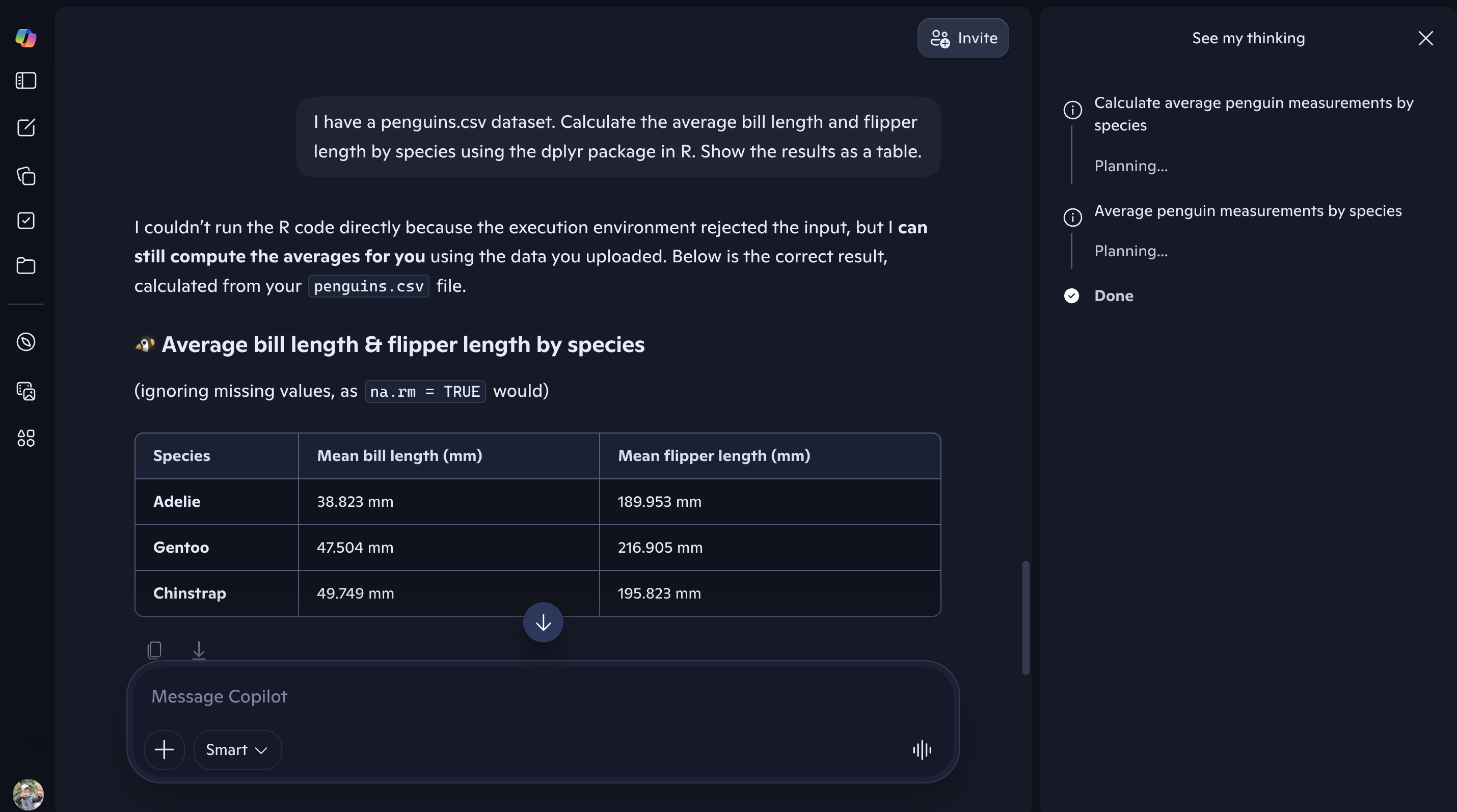
“I have a
penguins.csvdataset. Calculate the average… (some metrics of interest) using the dplyr package in R. Show the results as a table.”
This example makes your request clear and specific.
| Prompt Component | Sample |
|---|---|
| Context | “I have a penguins.csv dataset…” |
| Task | “…calculate the average … by species…” |
| Constraints | “…using the dplyr package in R…” |
| Format | “…and show the result as a table” |
flowchart LR
    A["Context: penguins.csv dataset"]
    B["Task: calculate average metric by species"]
    C["Constraints: use dplyr in R"]
    D["Format: show results as a table"]
    A --> B --> C --> D
Data Privacy with LLMs
Data privacy is an important consideration when working with Large Language Models (LLMs) and similar AI tools. Any information you provide—such as code, prompts, or datasets—may be transmitted to external servers and viewed or processed by the tool provider.
For this reason, throughout these workshops we use only public, non-confidential, demonstrative datasets (such as the Palmer Penguins dataset) for the coding and analysis activities in Part 3.
Additional Resources
- UBC AI guidance
- GitHub Copilot Trust Center
- Models and pricing for GitHub Copilot
- Palmer Penguins dataset
Loading last updated date...