SQLite, GeoPackage? What is all of this?
SQLite databases
SQLite is a type of type of relational database, in the vein of Microsoft Access. It has a number of features which make it generally useful and commonly used.
- It can store any type of data
- SQLite databases are supported on almost every platform, from Arduinos to supercomputers. This includes cell phones
- It’s an open, well documented platform
- SQLite databases are single files.
- Multiple databases can be attached to each other, even on an ad_hoc basis
- It is readily extensible — you can add extra functionality to the database by a variety of methods
Unlike Microsoft Access, SQLite is not a stand-alone program. There are many interfaces for it, often third party. There is a command-line interface that comes with a SQLite installation, and a very common third party graphical interface is DB Browser for SQLite which we will be using here.
SQLite is currently on version 3, so you will see variants of names, including SQLite 3 and sqlite3.
GeoPackages
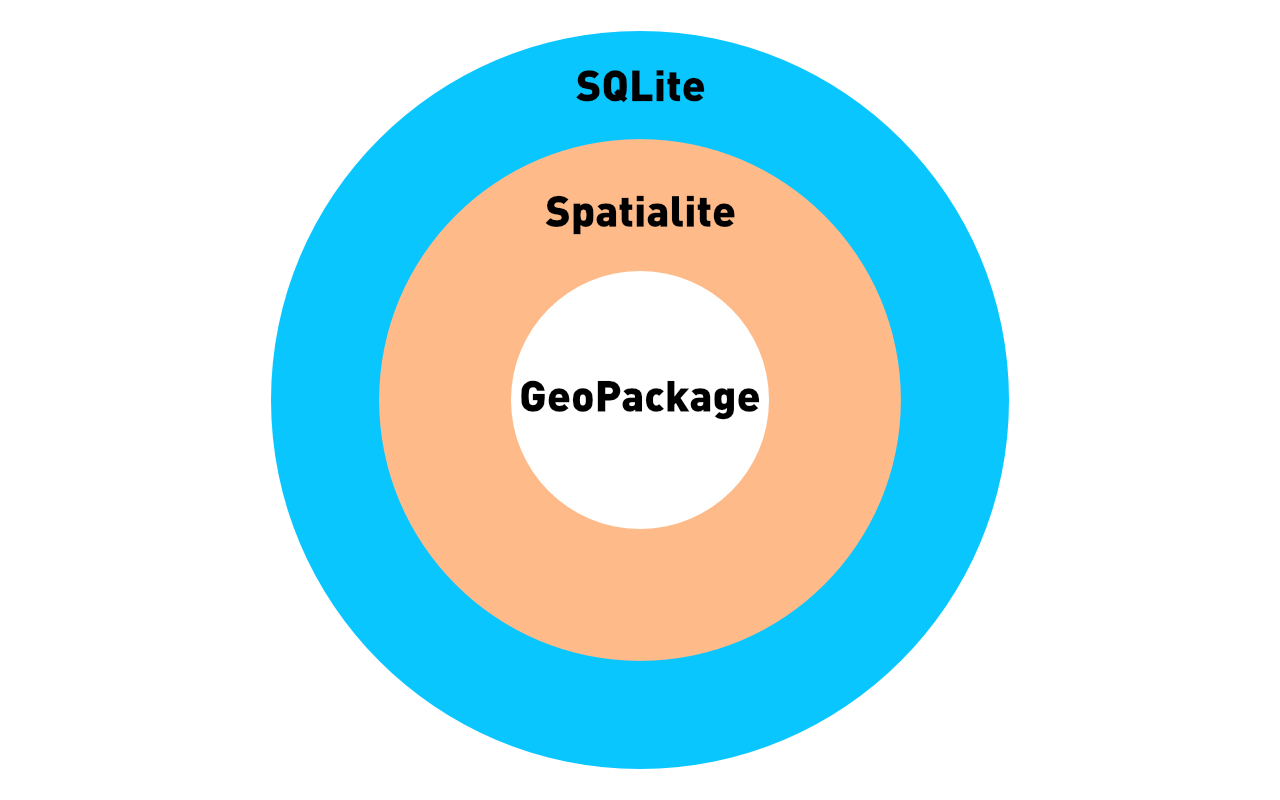
A GeoPackage (note the capital P) is a type of relational database which both holds geographic data and has the capability to perform spatially aware functions with it. It is similar to a Spatialite database, which has very similar capabilities. Both Spatialite and GeoPackages are built on the same platform, and to some extent they are the same. GeoPackages are standardized by the Open Geospatial Consortium, so the structure of a GeoPackage is very well defined.
If you want to be pedantic, GeoPackage is just a standard, and Spatialite is an extension which allows you to use the standard. You could use something else to perform the functions with we will do with the Spatialite extension, but that would be even more complicated.
So you can have a Spatialite database that does not conform to the GeoPackage structure, but all GeoPackages will work using Spatialite.
In essence
The Spatialite extension allows you to perform actions on a database that has the GeoPackage structure.
Naturally, this capability is not available by default, so it requires a bit of extra work, or yak-shaving.
Both GeoPackages and Spatialite databases, as they are addons to SQLite, means that they are SQLite databases, and all SQLite functions will work on them, and if you have the Spatialite extensions installed they are capable of even more operations.
Specifically:
- They can perform spatially aware operations like distance calculations, etc.
- They can hold both vector and raster data
- Because they are databases, they are free of many of the constraints of an ArcGIS shapefile, so they can have long field names, unusual data types etc.
While these databases can be opened and used in a geographic information system such as QGIS or ArcGIS, these types of applications have very steep learning curves. Using a dedicated GIS application is not required to access the spatial features of a GeoPackage. If you need to perform some basic analysis, there may not be any reason to learn a GIS application, because the spatial operations are available via SQL (Structured Query Language).
The relationship between SQLite, Spatialite and GeoPackage can be summarized in this handy Venn diagram. If you remember anything, remember this:
Now that the relationship between the parts is clear, the first step is to install everything.
Loading last updated date...