Layer Attributes
Right-click (control-click) the parks layer of your choice and open the Attribute Table. Here you can see the tabular data associated with your parks vector layer.
The Attributes are the field (column) headings that describe each feature (row). Manually re-size the column widths until you can read each attribute.
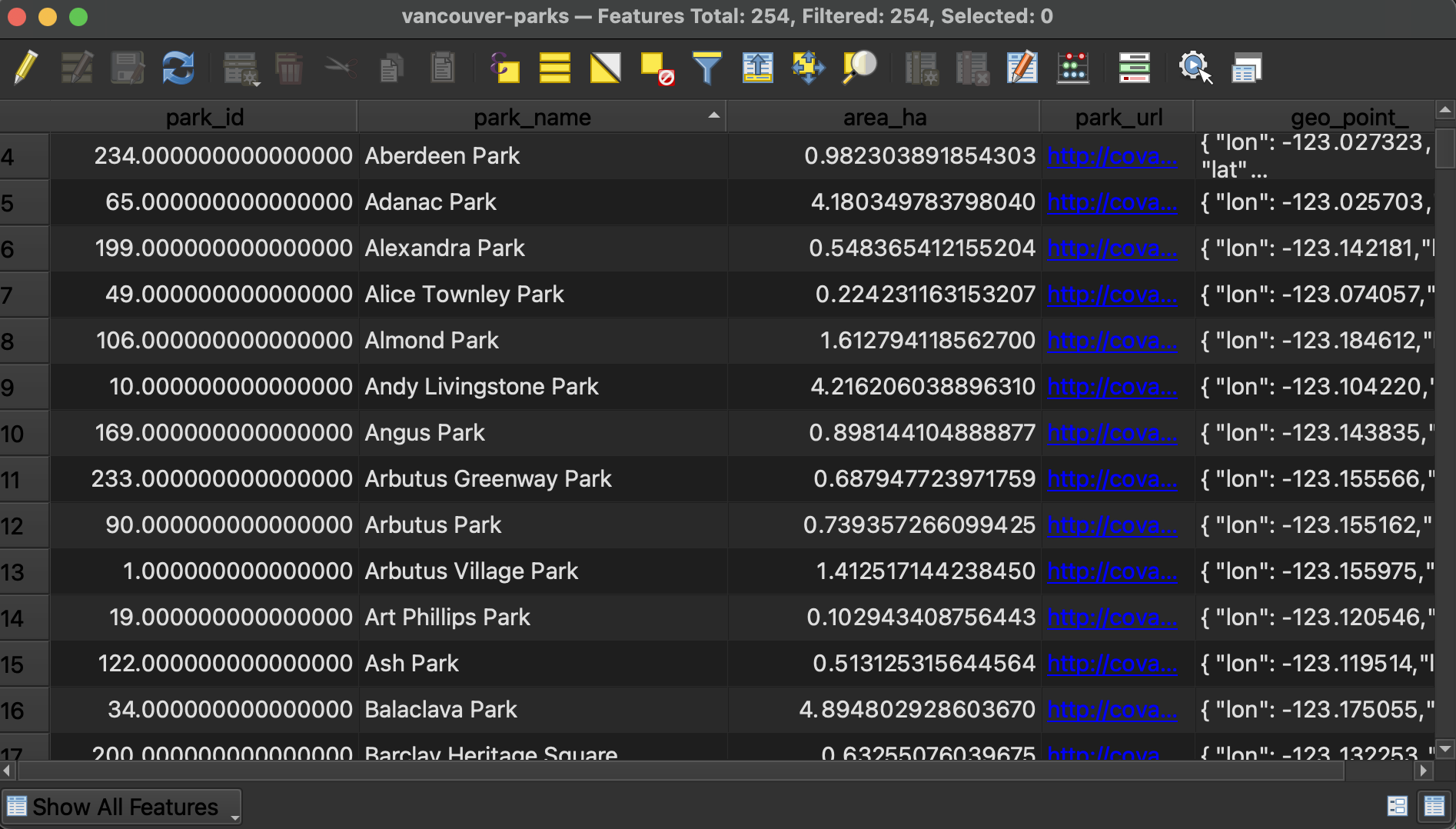
- At the top of the Attribute Table you will see the number of features loaded and the number selected. There are a total of 254 parks in the dataset downloaded for Vancouver.
- You can sort columns by ascending/descending (number value or alphabetically) by simply clicking the column headings.
- You can toggle between Form view and Table view at the bottom-right corner of the window.
- If a column’s contents are right right-justified, it means the values are stored as numbers; if a column’s contents are left-justified, the values are formatted as text. This knowledge will come in handy when troubleshooting. If you ever find yourself attempting to symbolize your data based on an attribute value such as area but it isn’t working, the issue may be that the attribute in question is stored as text rather than a numerical value. This can be fixed by editing the Attribute Table OR by xyz… INCLUDE DOCUMENTATION
Use Field Calculator to calculate park areas
What if you wanted to have QGIS calculate the area of each park? This requires editing the attribute table to create a new column and then populate it with the geometry calculation.
1 Toggle editing mode.  When editing mode is toggled on you will also see the little pencil in the layers panel.
2 Now open the Field Calculator from the Attribute Table’s toolbar. 
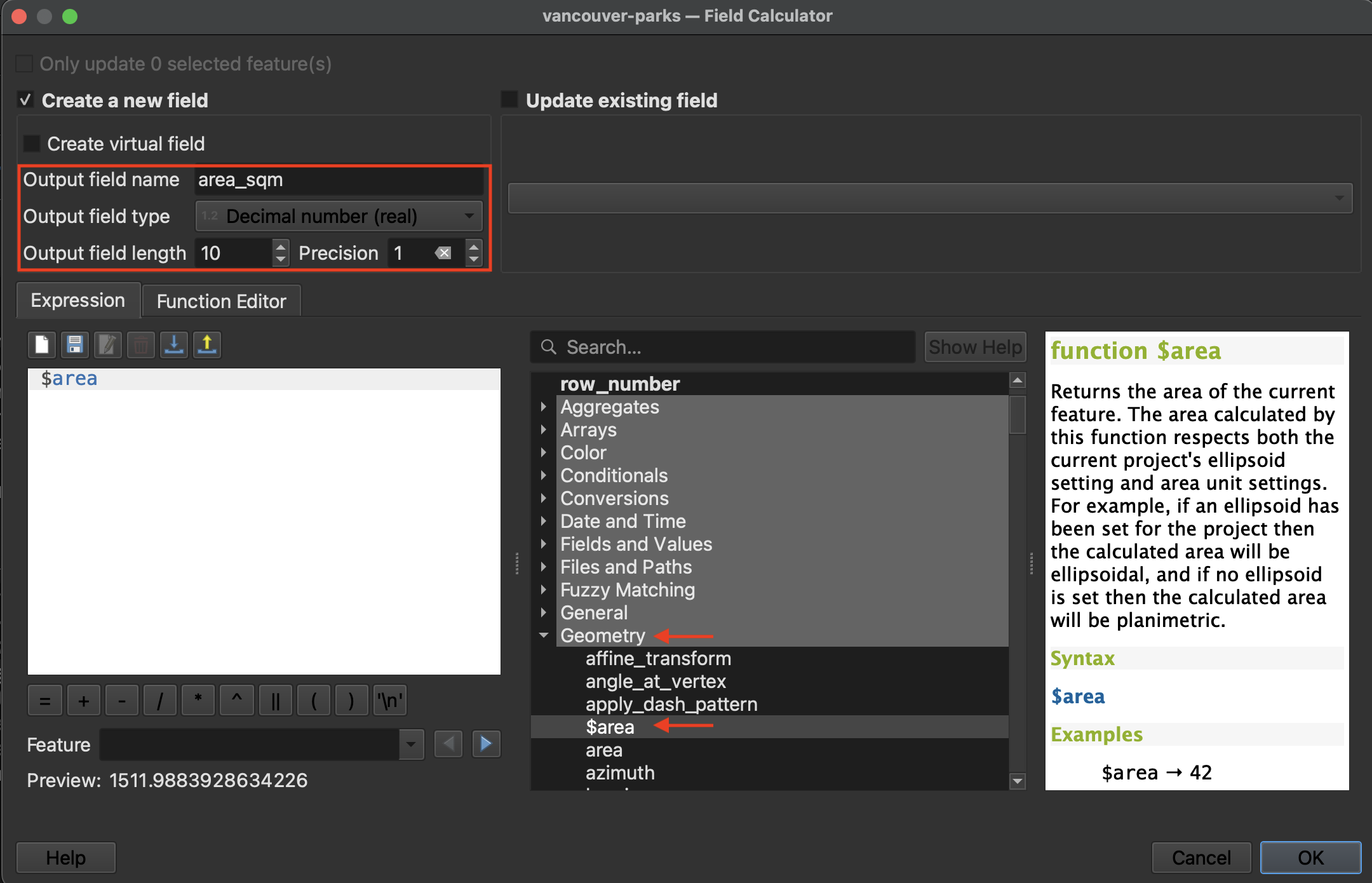
3 Create a new field called “area_sqm” and set the output field type to decimal number with 1 decimal point (precision 1). Expand the Geometry options in the middle panel and double-click $area. Hit OK at the bottom of the dialogue window to run the calculation.
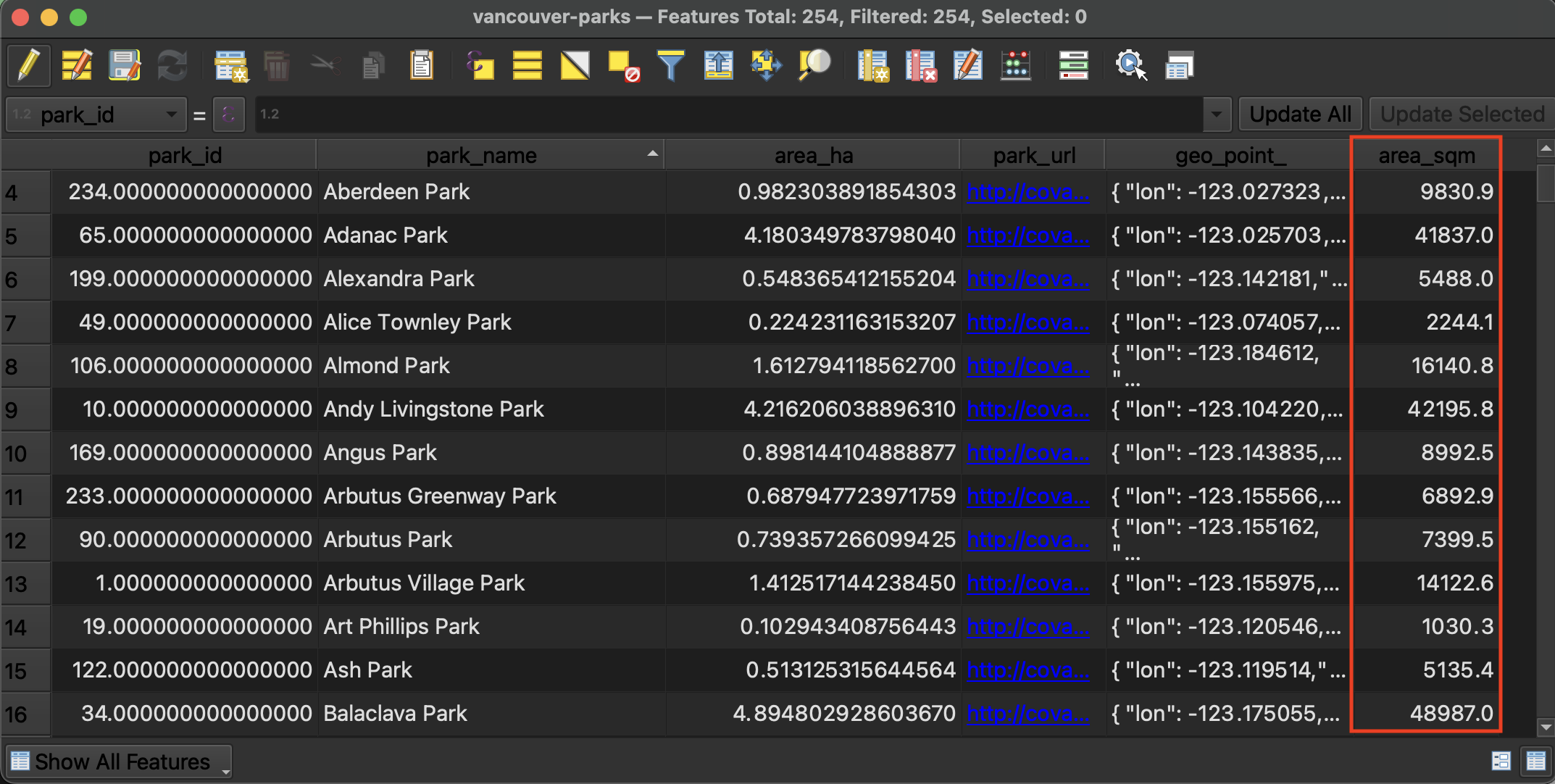
4 Return to the Attribute Table to see the results
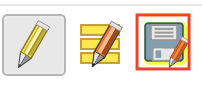
5 Save edits and toggle off editing mode. Save your QGIS project again.


Resources for working with the Attribute Table
Loading last updated date...