Advanced Deposit in UBC Borealis
Before you continue, please make sure you have a good understanding of the deposit basics in Basic Deposit in UBC Borealis.
In this guide, we expand further on data discovery, file formats, DOIs, Preview URLs, access control, licenses, file size, version control and more.
Table of Contents
Looking for a cheat sheet? Check out our one-pager!
Supported file formats

We recommend non-proprietary file formats because they are better for accessibility, preservability, and capability to open and function in various applications.
Any kind of file can be uploaded to Borealis, but extra functionality is supported for some file types:
Tabular data
Tabular data (Stata, SPSS, Excel, R, & CSV) is normalized to .tab format on upload, as it is a non-proprietary archival format that a variety of programs can read.
Normalization is important for long-term preservation of digital data. The deposited files can be downloaded in multiple formats, including the original.
In Borealis, tabular normalization also allows you to perform statistical data exploration and visualization right in your browser. Click the Data Explore button to see what it can do.

Compressed files (.zip, .tar)
Compressed files are the preferred method for uploading large datasets or many files to Borealis.
Zip files are automatically extracted on upload, and the contents will appear as a list under the Files tab. Folder structure and file hierarchy within the zip file are maintained on extraction. Please ensure that if your zip files contain many files, they are organized or categorized into folders. Borealis can read this and display it in a tree view. If you have multiple files that are not organized, we recommend double zipping.
Sometimes, it is a good idea to deposit the zipped folder to preserve the file directory structure as is, especially if you need the files to remain together. In this case, please upload your zipped directory, and Borealis software will unzip it once upon upload.
File size
Borealis is not intended to handle very large datasets. Current file size limits are:
- For upload: 5GB per file (up to 1,000 files). If you are depositing files larger than 5GB, double-zip your directory.
- For tabular normalization: 500MB per file. Tabular files over this size will remain in their original format, e.g. Excel.
If your individual data files exceed 10GB, please contact research.data@ubc.ca to discuss the best repository options, as we have other solutions (e.g. FRDR).
Access control
De-identified sensitive files can be restricted or embargoed so they are not freely available to download. Files can either be fully restricted or set up so users can send access requests to the contact email for review.
To restrict, unrestrict, or embargo a file:
In the “Files” table, click the checkbox beside the file(s) you want to restrict, then select “Edit Files”, then “Restrict”.

In the popup window, you may describe the conditions of use or license for this file in the Terms of Access box.

Check the Enable access request box to allow users to send the contact person an email asking for permission to download a restricted file. Click Save Changes to finish.
Files can also be unrestricted if the terms change–for example, once an embargo period has passed.
Version control
Every change made to a dataset—adding files, editing metadata, etc.—is saved as a new version of the dataset. This allows you to track the change history of the project, which can be viewed under the Versions tab. This is useful if you need to roll back to a previous version, or find out who made what changes and when.

Licenses and terms
You have control over how your data can be used. Borealis allows for a variety of licenses and terms of use.
Built-in Creative Commons license templates
Templates can be selected at dataset creation and changed at any time. These automatically apply the right information about the license to the dataset’s metadata.

You can review our Licenses for Research Data workshop or the UBC Library Creative Commons page to decide what license to use with your dataset. We recommend CC-BY license.
Custom license
One-size-fits-all licenses don’t suit every dataset. You can create customized terms and conditions of use.
To customize terms:

If you need help creating a custom license, please contact research.data@ubc.ca.
APIs
Borealis has many APIs available for you to work with, such as uploading, downloading, and migrating data.
If you’re unfamiliar with using APIs, we recommend using the Demo Borealis to practice the API commands.
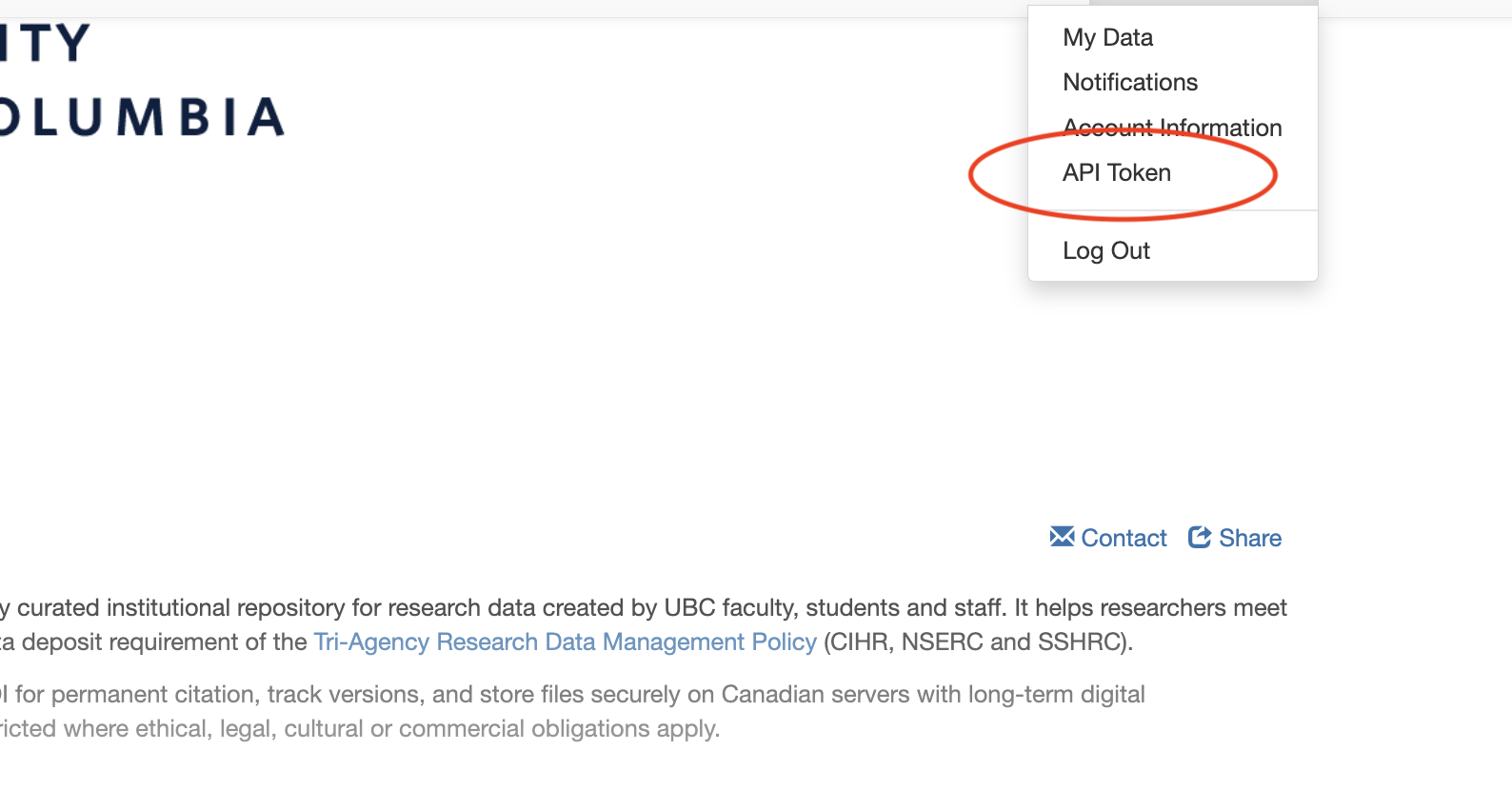
To access and use an API, you’ll need your API Token. This token should be secured like a password.
From the drop-down menu, select API Token and copy the token provided. Alternatively, you can select Create Token to create an API Token to use.
Sharing data
Linking to your dataset
There are two main ways to direct people to your dataset:
1 DOI
A DOI (Digital Object Identifier) is assigned to the dataset by Borealis when the first draft is created. Once the dataset is Published, anyone can use the DOI link to find it. While the dataset is still unpublished, the DOI can only be used by Borealis account holders with permission to view that dataset.
Use DOIs in citations, publications, on your personal/research group websites–anywhere you want the link to your data stable over time.
Click here for more information about UBC DOIs.
2 Preview URL
A temporary link for use with unpublished data. The dataset can only be seen by those who have the link, and users do not need a Borealis account. Great for giving pre-publication access to journals, reviewers, and collaborators.
To create a Preview URL, click Edit Dataset > Preview URL. The generated URL can be accessed from this location until the dataset is published, so you can copy it again and again as needed. The Preview URL will automatically disappear once the dataset is published.
Preview URL can also be anonymized, e.g. names, affiliations, ORCIDs, etc. would be masked.

Where can UBC Borealis datasets be discovered?
Data deposited in UBC Borealis is indexed by and integrated with many services on the Web, including:
- Google Scholar
- Google Data
- The EU’s OpenAIRE
- Most university libraries, like the University of Toronto
- US National Library of Medicine
- DataCite
- ORCID
- Lunaris: Canadian national research data discovery service
- By APIs
Social Media
Spread the word about your research and improve your altmetrics by sharing your linked data on social media!
Borealis provides a Share button for
- Each Borealis collection
- Each dataset

This button gives you the option to create a post with a link to your data on Facebook, Twitter, and LinkedIn.
Congrats!

You are an expert in data deposits in UBC Borealis now!
Need help?
Please reach out to research.data@ubc.ca for assistance with any of your research data questions.
Loading last updated date...